
One platform, not ten tools
Attendance, lessons, exams, fees, admissions, transport, library, communication and family requests live in one product. Nothing is re-typed between systems, and nothing falls between them.
THE PRODUCT
Nirva replaces the seven or eight separate tools a school runs on—admissions, attendance, fees, homework, exams, parent communication, transport and management spreadsheets—with one connected platform. A student’s admission record becomes the foundation for their class, attendance, fees and results, so nothing is entered twice. Teachers, parents, students, the front office, the principal and the chairman each get a workspace built for their role, all working from the same school record.
AI does the heavy lifting where it genuinely helps—drafting question papers and suggesting marks on scanned answer sheets—while teachers review and decide. Leaders see fees, attendance, academic performance and syllabus progress from the classroom up to a group of schools. And we stay with you beyond setup: migrating your existing data, onboarding your team, regular updates shaped by school feedback, and customer care twelve hours a day, seven days a week.
Attendance, lessons, exams, fees, admissions, transport, library, communication and family requests live in one product. Nothing is re-typed between systems, and nothing falls between them.
Each of the 14 roles signs in to screens shaped around their responsibilities. A subject teacher’s day starts with their classes; a principal’s with the whole school; a parent’s with their child.
Nirva AI drafts syllabi from textbook pages, question banks, question papers and answer-sheet marks. Teachers review everything; nothing reaches students without them.
HOW A SCHOOL IS ORGANIZED
Nirva models a school the way schools actually run—so access, reports and responsibilities follow naturally from the structure.
Nirva hosts many schools. Shared catalogues—curricula, subjects, academic years and syllabus packs—are kept once and reused.
Each school has its own identity, logo, staff, students, settings and data. Groups of schools can be followed together by a chairman.
Every year is onboarded with a readiness checklist, so classes, subjects, fees and calendars are in place before teaching starts.
Run more than one board side by side—CBSE and IGCSE, for example—each with its own classes, subjects and academic leadership.
Classes are split into sections. A class coordinator looks after a class across its sections; a class teacher looks after one section.
Subject teachers are assigned to subjects in sections. Students sit in sections; parents are linked to their children.
RECORD ONCE. SEEN BY EVERYONE WHO NEEDS IT.
The same attendance mark appears at every level, filtered to what each person is responsible for. Nobody compiles a report; nobody chases a register.
Marks attendance and records what was taught in period 2.
Sees which subjects in their section have attendance done today.
Sees progress across every section of the class.
Follows the whole board for the year—attendance, coverage, alerts.
Sees today across the school on the live Insights screen.
See the child’s attendance, today’s learning and homework.
A DAY WITH NIRVA
An illustrative school day, showing how the parts of Nirva hand work to each other.
The transport team records who boarded on each route. Parents see their child’s stop, pickup time and boarding.
Teachers mark attendance period by period on a phone or laptop. Absences reach parents and leadership straight away.
After each lesson the teacher ticks the topics taught. Syllabus coverage updates for the coordinator and curriculum head.
A teacher picks chapters, marks and question types; Nirva AI drafts a question paper to review, edit and print on the school letterhead.
A parent requests an early pickup. The coordinator approves it and the front office releases the child at the gate.
Scanned answer sheets are read by Nirva AI. Suggested marks arrive with reasoning; the teacher confirms or changes each one.
A parent pays an installment online. Accounts sees it reconciled, with a receipt ready—no spreadsheet needed.
Parents open the app: today’s learning, homework due, a new circular and a consent form waiting to be signed.
INSIDE THE PRODUCT
Every screenshot is a real Nirva screen from a generated demo school.
Teachers open their Day Routine to see exactly which classes still need attendance and daily progress. Each lesson is recorded once—what was taught, topic by topic—and coverage rolls up automatically.
Used by Subject teachers, class teachers, coordinators, curriculum heads
All teaching & learning features ↗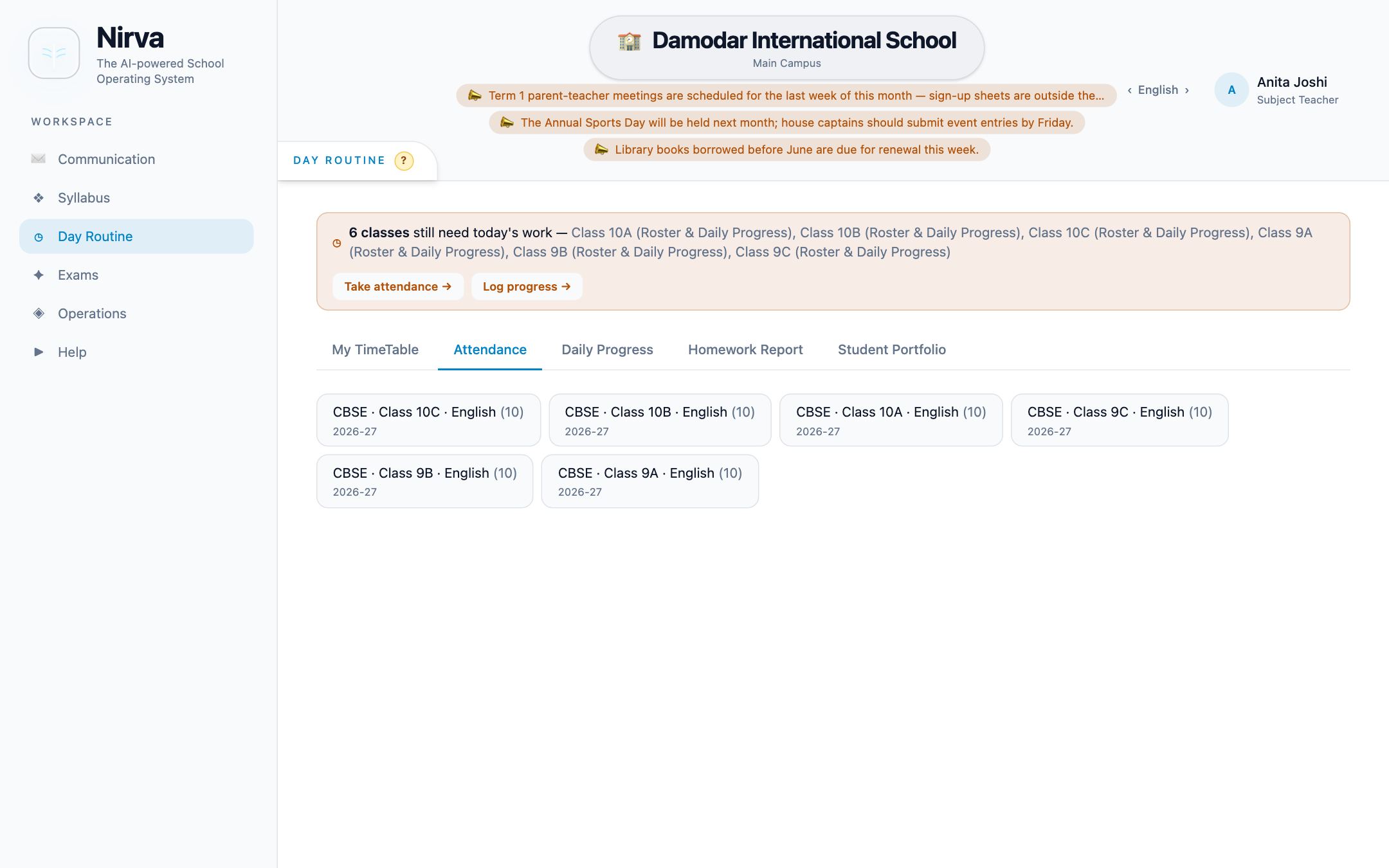
Exam timetables are generated around weekends and holidays and can be edited before saving. Papers are drafted with AI and printed on school letterhead. Marks are entered or confirmed from AI-corrected answer sheets, then released to families only when results are published.
Used by Teachers, coordinators, principal, students, parents
All exams & results features ↗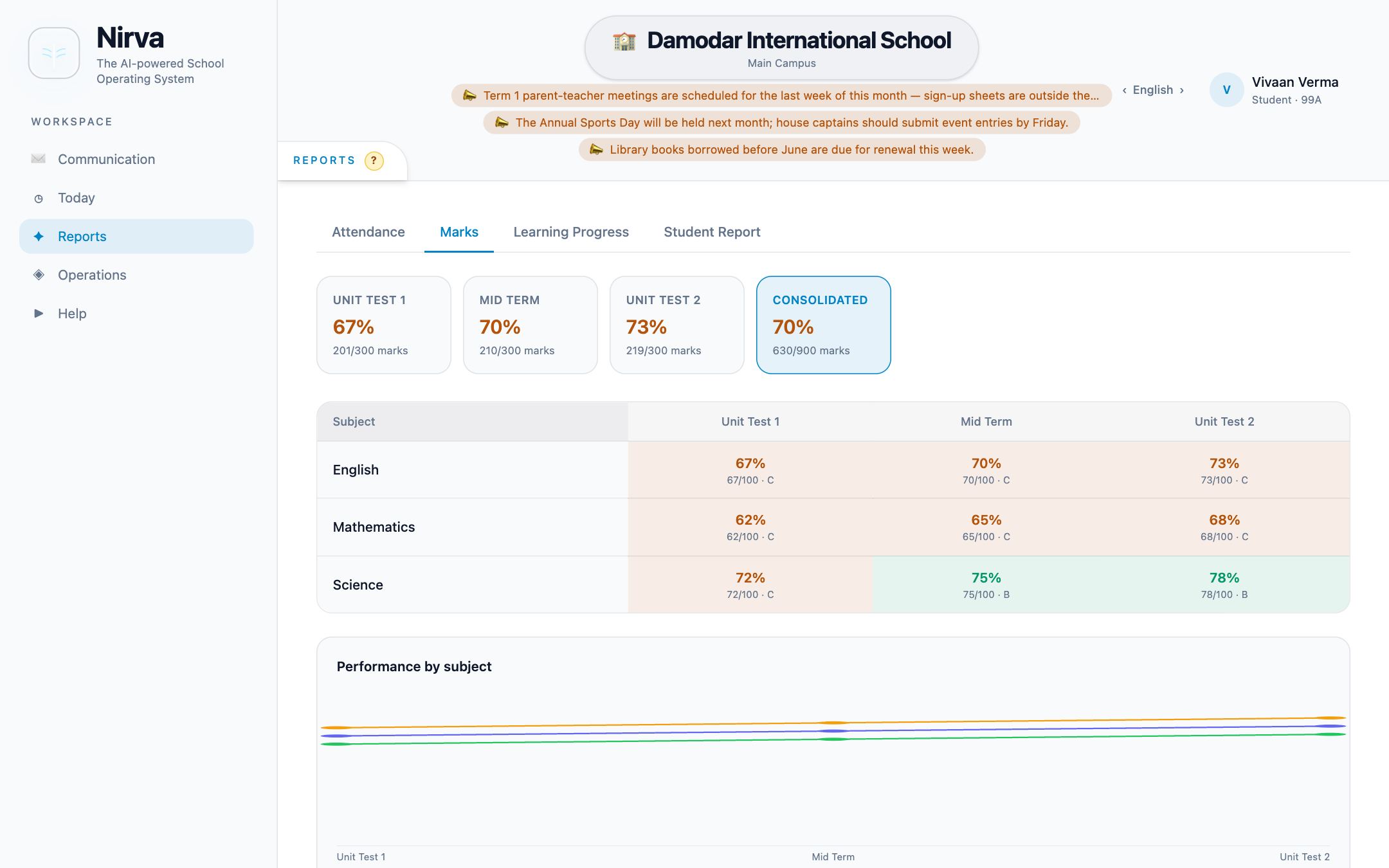
Principals see the school live: attendance, staff on leave, fees collected, admissions and transport. An action centre brings forward what is overdue, and alerts flag low-attendance sections and students to check on. Chairmen follow several schools from one read-only view.
Used by Principal, school admin, curriculum head, chairman
All leadership & insights features ↗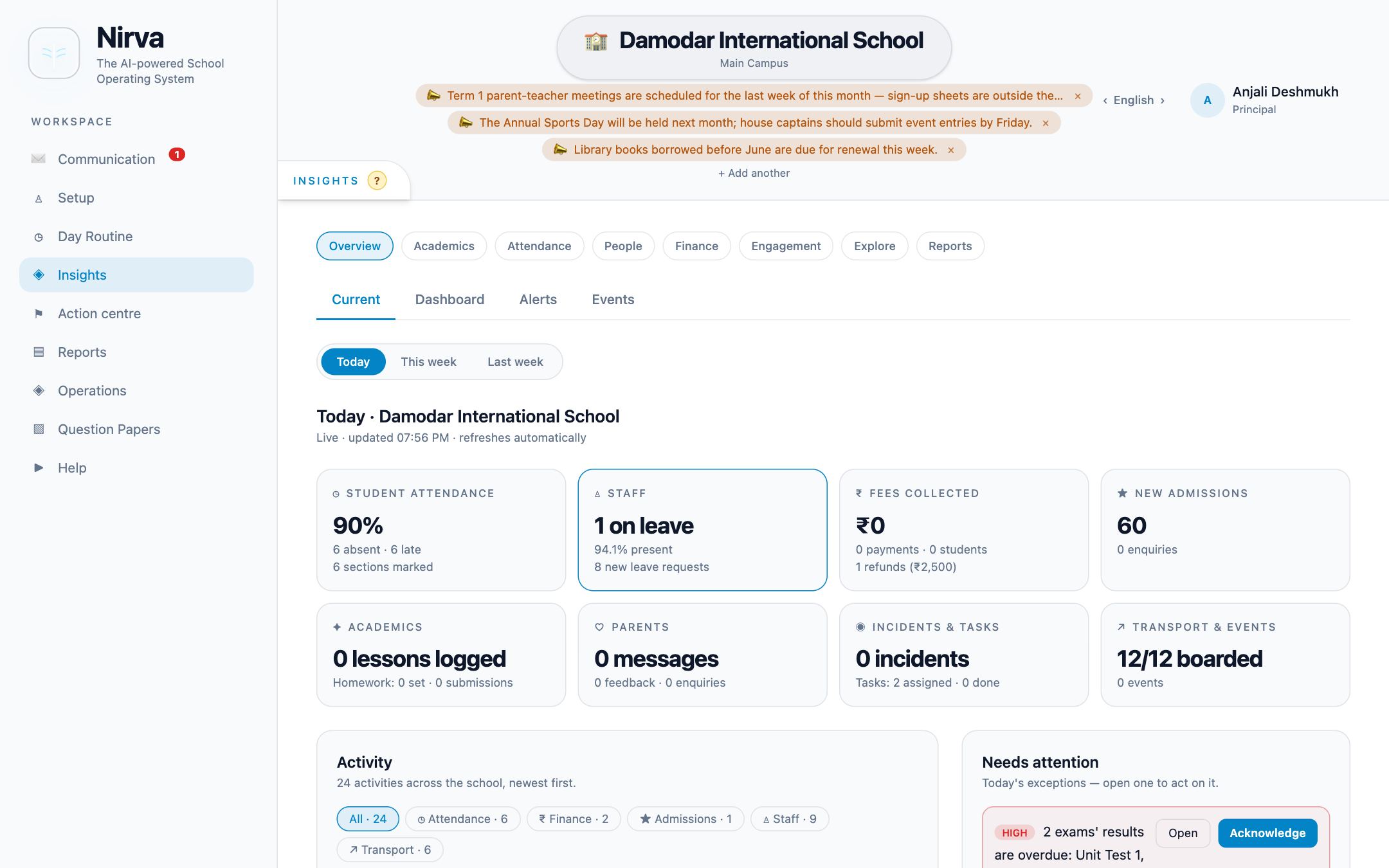
The front office captures walk-ins, calls, online and referral enquiries and follows each one up. An admitted enquiry becomes a student record with an invitation for the parent—no retyping.
Used by Front office, principal, school admin
All admissions & front office features ↗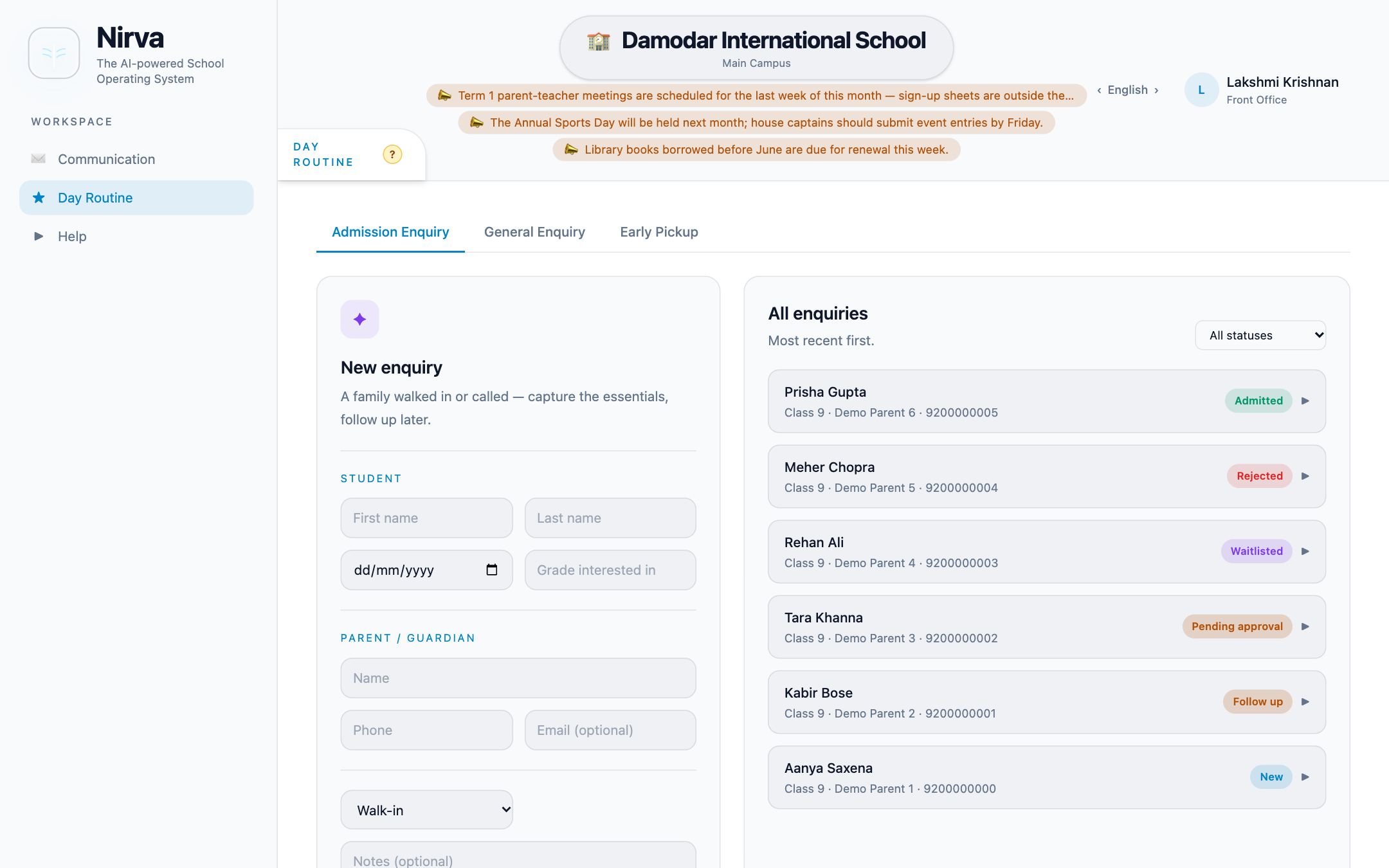
Accounts build a fee structure with installments and due dates, publish it and apply it to the year—every student receives their invoices. Parents can pay online where the school has enabled it; payments are reconciled, receipted and exportable.
Used by Accounts admin, parents, principal
All fees & finance features ↗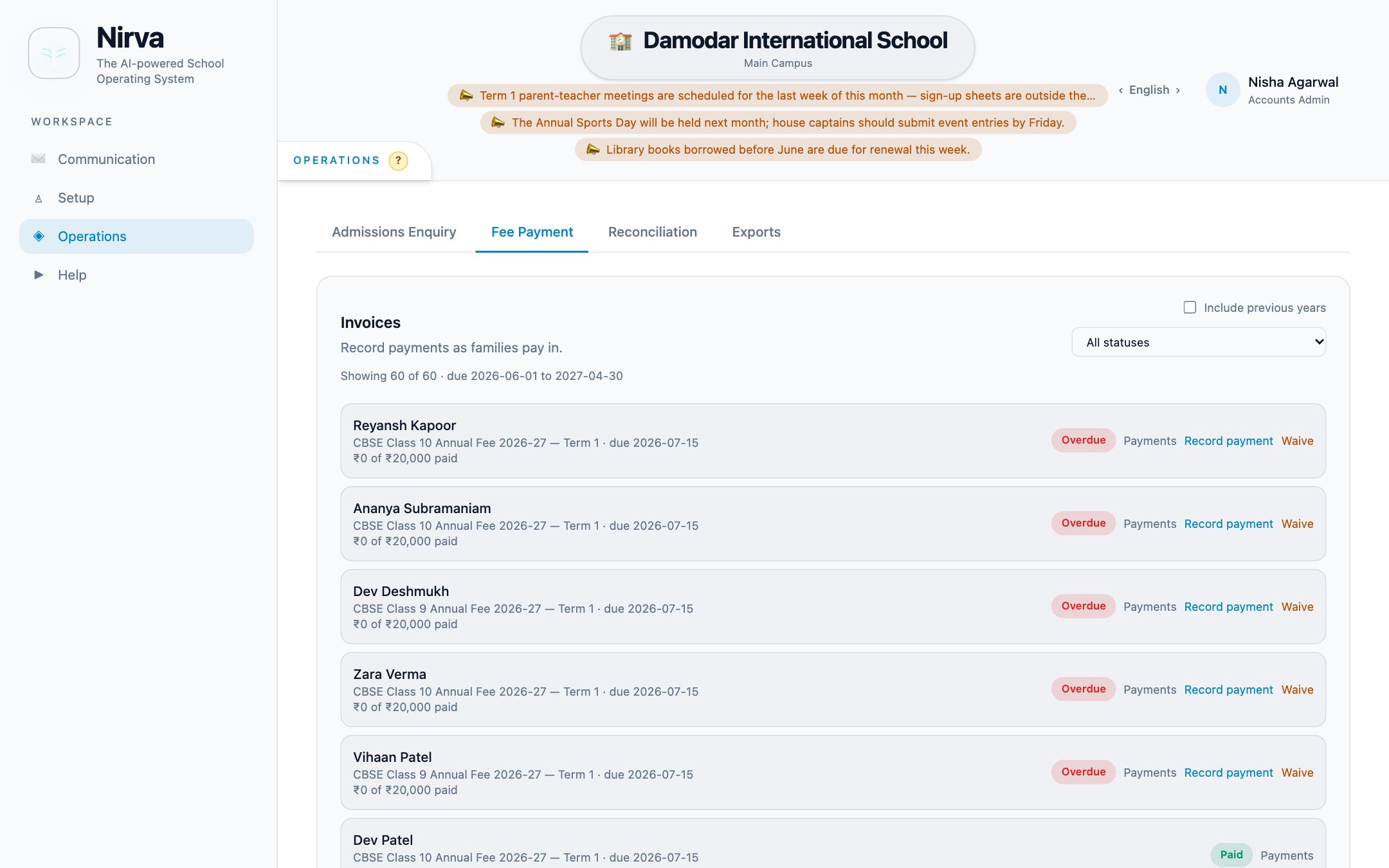
Parents follow every linked child in one place and reach the school through chat, channels, circulars, forms and requests. Students get their own workspace for timetables, homework, marks and portfolio.
Used by Parents, students, every staff role
All families & communication features ↗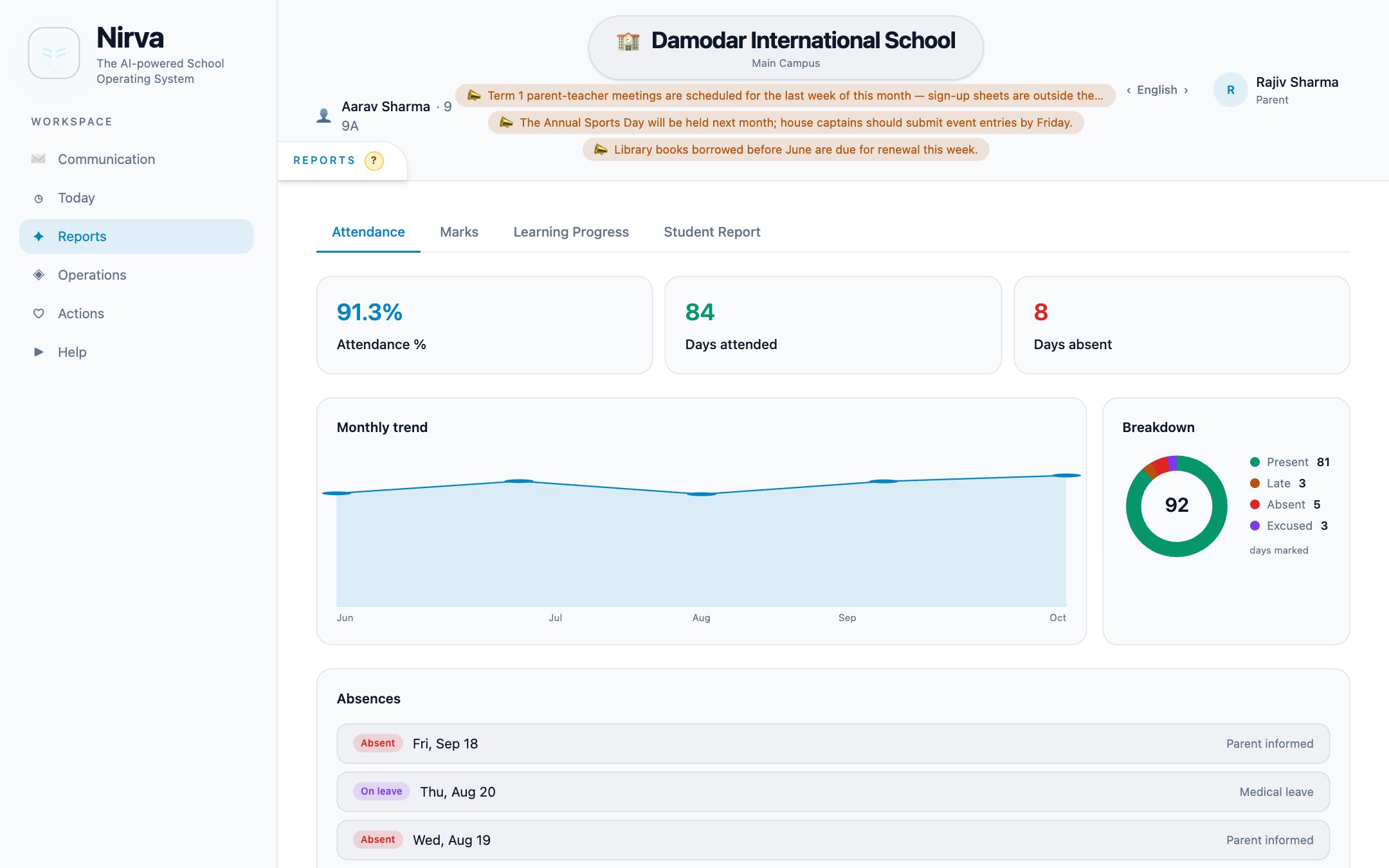
Transport teams manage drivers, buses, routes and stops, assign students and record boarding. The library issues, returns and reserves books. Vendors run their catalogue and fulfil orders families place through BookCart.
Used by Transport admin, school admin, vendors, parents
All transport, library & essentials features ↗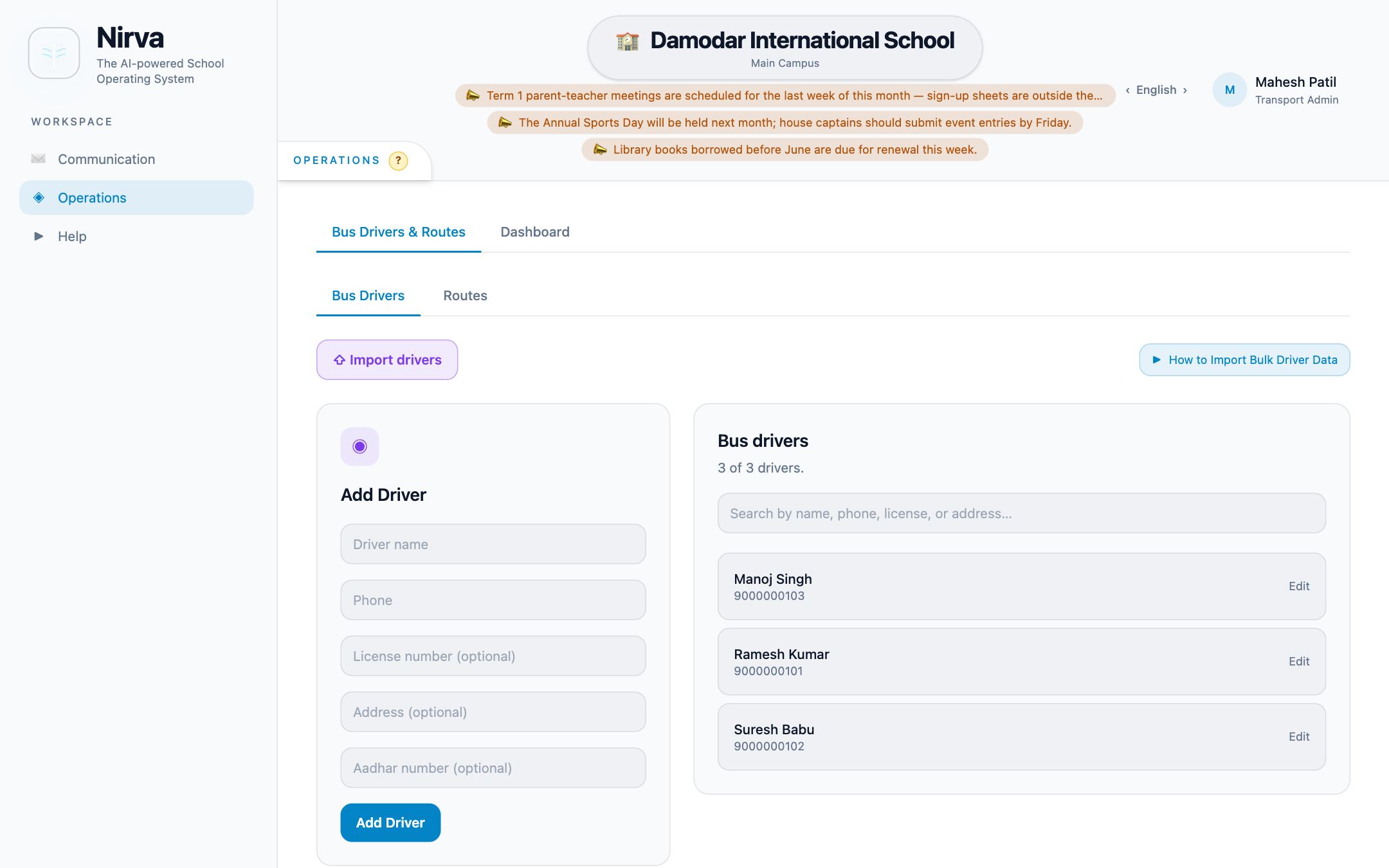
FROM FIRST CONVERSATION TO FIRST DAY
Setup follows the structure you already have. Most of it is guided, and nothing needs a developer.
Nirva creates your school’s space with the launch wizard, sets its identity and invites your School Admin.
Add curricula, classes, sections and subjects. Upload your logo; it appears in the app and on printed papers.
Import staff and students from CSV with a preview and per-row errors, assign teachers and invite parents.
Set fee structures, holiday calendars and exams. The readiness checklist shows what is still missing.
Turn features on or off per role—chat, internal email, channels, helpdesk, question papers and more.
Every role signs in to a workspace focused on their responsibilities, on the web, Android or iOS.
FOUNDATIONS
The parts you don’t see are what make the parts you do see dependable.
People see what their role and assignments allow—a teacher their sections, a parent their children, a coordinator their class.
Staff who hold compatible roles switch between them without a second account. Platform and school roles stay separate.
Changes appear in real time across open screens, and push notifications reach phones, with preferences each person controls.
Every important change is recorded—who changed what, and when—with readable before-and-after details.
The interface is available in English, हिन्दी and తెలుగు.
All three connect to the same backend, so everyone works from the same school record.
Features, role names and chat permissions are configured per school, so Nirva fits how you already work.
How-to videos, a helpdesk with ticket replies, and a way to report product issues directly from the app.
LET’S TALK
Tell us about your classes, curricula and the routines you want to bring together. We’ll walk you through the product with your school in mind.