The AI-powered School Operating System

One connected
school.
Endless possibilities.

From classrooms to leadership, front office to families—Nirva brings people, daily operations, and thoughtful AI together. On the web. On Android. On iOS.

Every role connected.
Every school day made easier.

Damodar International School entrance and an illustrated campus connecting families, classrooms, leadership, front office, vendors and transport
ONE PLATFORM. THE WHOLE SCHOOL COMMUNITY.
Everyone on the same page.Families. Teams. Partners. Management.
Every role connected. Every child at the center.

From the first bell
to the bigger picture.

Teaching & learningSchool operationsConnected familiesThoughtful AI

THE PURPOSE BEHIND THE PLATFORM

Less chasing.
More connection.

A lesson recorded helps a family stay involved. An updated fee record helps accounts answer a question. A boarding record helps the transport team follow the journey.

Nirva brings these everyday moments into connected workflows. Each person works in their own role, while the relevant information reaches the people who need it.

Clear responsibilitiesFewer scattered recordsEasier daily routines

THE WHOLE SCHOOL, CONNECTED

Many moving parts.
One calmer school day.

From the first admission enquiry to daily learning, fee collections, vendor orders and the journey home. Nirva connects the people doing the work with the people who need to know.

01 / LEARNING

Make room for
better teaching.

Bring attendance, daily lessons, homework, syllabus progress and timetables into one teaching routine.

Today’s learningFractions · Mathematics
Recorded ✓
Explore the classroom
02 / OPERATIONS

A school that runs
in sync.

Connect admissions, fee tracking, transport, library records and everyday requests with the people who manage them.

AdmissionsFees & receiptsTransportLibrary
See what’s included
03 / CONNECTION

Keep families
in the picture.

Give parents and students a clear view of school life, with learning updates, schedules, messages and important actions.

N
A little update. A closer connection.School communication, in one place.
Find your workspace

MORE THAN A SCHOOL APP

One platform.
A whole connected community.

Classrooms are where learning happens. Behind them is a network of people making it possible. Nirva gives that network a shared structure, with a clear place for every responsibility.

01

Management that can see the whole picture

Platform administrators manage schools and shared catalogs. Principals follow their school, while curriculum heads and coordinators focus on the academic areas assigned to them.

02

Operations that connect to school life

Front office, accounts and transport teams work with admissions, student records, fees, routes and boarding information. Vendors manage their own products and orders.

03

Participation without information overload

Families follow their children. Teachers work with their assigned classes and subjects. Role-based access keeps each workspace focused on the work it serves.

CLARITY, AT A GLANCE

A place for your school day.

Purposeful workspaces. Familiar routines. Everything a little easier to find.

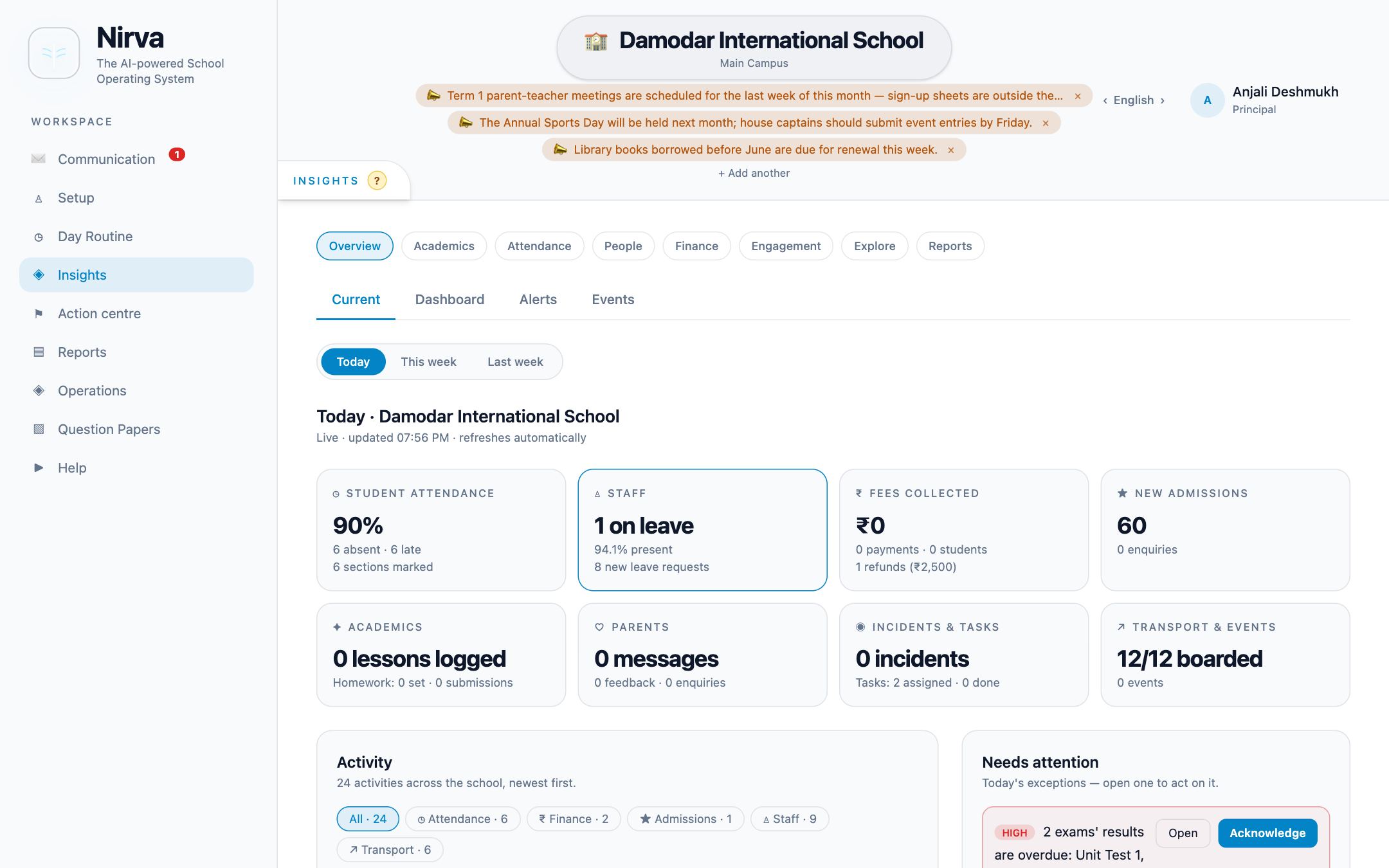
Nirva · A connected school dayIllustrative preview

A simplified illustration of Nirva’s workflows. Names and records shown are sample data.

DIFFERENT ROLES. SHARED PURPOSE.

Your school.
Your point of view.

The right information for the right people. Nirva gives each role a focused workspace, connected to the same school.

14 ROLES. PURPOSEFUL RESPONSIBILITIES.

Everyone who makes a school work.

PLATFORM

Super Admin

Creates and manages schools, shared catalogs and platform configuration.

PLATFORM

Super Admin Reader

Reviews information across schools through a read-only platform role.

LEADERSHIP

Principal

Follows school-wide academic performance, reporting and day-to-day oversight.

LEADERSHIP

School Admin

Sets up academic years, staff, classes, sections, assignments and school permissions.

ACADEMICS

Curriculum Head

Follows the assigned curriculum or board across its classes for the academic year.

ACADEMICS

Class Coordinator

Oversees a class across its sections, with a view of progress and academic activity.

TEACHING

Class Teacher

Looks after the assigned homeroom section, its routines, timetables and class reporting.

TEACHING

Subject Teacher

Teaches assigned subjects and sections; records lessons, attendance, homework and marks.

OPERATIONS

Accounts Admin

Manages fee structures, invoices, payments and finance workflows.

OPERATIONS

Front Office

Handles enquiries, admissions, student records and early-pickup workflows.

OPERATIONS

Transport Admin

Coordinates routes, stops, vehicles and boarding records for school transport.

PARTNERS

Vendor

Manages their own product catalog and fulfills orders for school essentials.

FAMILIES

Parent / Guardian

Follows linked children and handles family communication, payments, consent and requests.

LEARNING

Student

Finds learning materials, schedules, homework, attendance and marks in a personal workspace.

A teacher and children working together on a classroom activity
FOR THE PEOPLE WHO MAKE LEARNING HAPPEN

FROM THE CLASSROOM TO THE WHOLE SCHOOL

One small update.
A stronger connection.

For a subject teacher, it starts with a lesson, attendance or homework. For a class teacher, it is a clearer picture of the section. For coordinators and school leaders, it becomes a view of progress that they can act on.

And for families, it means knowing what their child is learning and what needs attention next.

See how each role connects ↗
Teach & recordFollow progressSupport the child
✦ Nirva AITeacher reviewed

A helping hand.
A human decision.

Suggested question

How would you explain equivalent fractions using an everyday example?

Review. Refine. Make it yours.
A little support behind every great lesson.

THOUGHTFUL TECHNOLOGY

AI lends a hand.
Teachers lead the way.

Give preparation a head start without taking the teacher out of teaching.

  • Start with a syllabus. Create chapter-wise drafts and work from textbook information.
  • Build your next question paper. Draft questions around chapters, difficulty and question types.
  • Support answer-sheet review. Get suggested marks and reasoning, with teacher confirmation before finalization.

AI features depend on your school’s configuration. Educators review generated content and keep the final say.

BUILT AROUND REAL SCHOOL LIFE

The everyday essentials.
And the details that matter.

Admissions & onboarding

Follow enquiries, manage admissions and bring students, staff and families into the school.

Academics & schedules

Organize curricula, academic years, classes, subjects, holidays and editable timetables.

Attendance & progress

Record attendance, classwork and homework, and follow syllabus coverage over time.

Exams & assessment

Prepare question papers, schedule exams, enter marks and review student performance.

Fees & school essentials

Manage fee structures, track payments and access books and uniforms through BookCart.

Communication

Bring chat, channels, circulars and eMails(Internal) into your school’s own workspace.

Transport & library

Coordinate routes, vehicles and boarding records. Keep library loans and returns organized.

Care & support

Handle consent, early pickup, wellbeing records, portfolios, feedback and helpdesk requests.

BEYOND THE CLASSROOM

The people behind
a smoother school day.

A welcoming front office. Accounts that can find the right payment record. A vendor preparing school essentials. A transport team organizing the journey home.

Nirva gives these teams a place in the same school platform, with focused workflows for admissions, fees, products, orders, routes and boarding. Their work is part of the school day, too.

Explore operations & partner roles ↗
School administration, transport and a school-supplies partner coordinating near a parked school bus
EVERY ROLE HAS A PART. EVERY PART MATTERS.

A START THAT MAKES SENSE

Make Nirva your own.

Start with your school’s structure and the routines your team already knows.

01

Set up your school

Build your academic year, curricula, classes and sections.

02

Bring your people together

Add staff and students, assign roles and connect parents.

03

Find your daily rhythm

Choose the features each role needs and build your school’s routine.

NIRVA ON THE WEB, AND IN YOUR POCKET

Your school day
doesn’t stay at a desk.
Neither should Nirva.

Android and iOS apps bring the same connected-school purpose to a touch-friendly workspace. Check an update, follow a task or get back to your school routine—wherever the day takes you.

Android appiOS app◎ Web platform
Ask about mobile access

Contact us for current app access and feature availability. Some setup and bulk workflows remain web-first.

9:41 ▰ ▴
Nirva
TEACHER WORKSPACE

Ready for
a new school day.

My classClass V · AYour section, at a glance
AttendanceClassworkTimetableMessages
⌂ Home ▦ Explore◯ Account
9:41 ▰ ▴
Nirva
PARENT WORKSPACE

A little closer
to their school day.

A
AaravClass V · Section A
Today’s learningEquivalent fractionsMathematics · Homework to follow
LearningFeesUpdatesRequests
⌂ Home ▦ Explore◯ Account

Illustrative previews · Sample data

FOR FAMILIES

Stay involved, even on busy days.

Follow children’s learning, school information and family actions without waiting to get back to a computer.

FOR SCHOOL TEAMS

Keep work close to where it happens.

Purpose-built mobile screens support teaching, attendance, communication and operational workflows.

ONE CONNECTED PLATFORM

Different screens. Shared school records.

Web and mobile connect to the same Nirva backend, with workspaces shaped by your role and assignments.

Parents and their daughter sharing a school notebook while checking a phone at home
THE SCHOOL CONNECTION CONTINUES AT HOME.

FOR THE PEOPLE CHEERING THEM ON

More involved.
Less out of the loop.

Parents should not have to piece together school life from scattered messages. Nirva gives families a dedicated place to follow learning, schedules and the actions that need their attention.

With linked-child workspaces and mobile access, the connection between school and home becomes part of the everyday routine.

Bring your school community together ↗

A PLATFORM THAT KEEPS MOVING WITH YOU

Support beyond setup.
Progress beyond launch.

Your school evolves. Your platform should, too—with customer care, ongoing improvements and a modern foundation behind the experience.

Frequent releases. New possibilities.

Regular product releases bring new features, refinements and fixes, with an ongoing focus on the needs of real schools.

Explore updates & support ↗

Continuity at the center

Our release approach aims to keep school work moving while the platform improves. Any required maintenance and its impact should be communicated clearly.

Understand release continuity ↗

A MODERN CLOUD FOUNDATION

Built for connected, everyday work.

A responsive web experience, a structured API and a relational data foundation support Nirva’s school workflows. School-scoped access and role permissions shape what each person can see and do.

ReactTypeScriptPython · FastAPIPostgreSQLCloudflareNeon

A FEW THINGS YOU MIGHT WONDER

Let’s make
things clear.

Have a question about your school?
Let’s talk it through ↗

34 questions

Who is Nirva built for?

Nirva is a school platform for management, principals, administrators, curriculum heads, coordinators, class teachers, subject teachers, accounts, front office, transport teams, vendors, parents and students. Each role has focused responsibilities and access.

Is Nirva just a parent portal or classroom app?

No. Parent and teaching workspaces are parts of a wider platform connecting academic setup, learning, assessment, admissions, fees, transport, communication, school essentials and management.

Can the platform manage more than one school?

Yes. Platform administrators can create and manage schools and shared catalogs. School roles operate within their school, while the Super Admin Reader provides a separate read-only platform role.

How are class teachers and subject teachers different?

Class teachers are responsible for their assigned homeroom section and its class routines. Subject teachers are assigned to particular subjects and sections, where they record teaching activity, homework and assessment work.

What do coordinators and curriculum heads see?

A class coordinator oversees a class across its sections. A curriculum head follows the assigned board or curriculum for an academic year. These are different academic scopes, rather than identical access to everything.

Can one staff member hold more than one role?

Yes. A person can hold compatible school roles and switch the active role. Platform roles and school roles are kept separate.

Can Nirva work with different curricula?

Yes. Schools can organize multiple curricula, with their own classes, subjects, academic setup and academic leadership assignments.

Do we need to use every feature?

No. Administrators can control configurable features by role, including chat, internal email, channels, helpdesk and question papers. Introduce the workflows that fit your school.

Can parents see more than one child?

Yes. Linked parents can switch between their children to see the relevant school information and actions in their workspace.

What can students access?

Students can access their assigned school information, including learning materials, homework, class schedules, attendance and marks. Availability depends on school setup and permissions.

How does school communication work?

Nirva includes chat, channels, circulars and eMails(Internal). Schools configure access by role. Internal email is communication inside Nirva; it is not a replacement for a public email address.

Can teachers edit generated timetables?

Yes. Timetable grids and exam schedules can be reviewed and edited before they are saved. Teachers can adjust the relevant dates, periods, times and subjects.

Does AI make the final assessment decision?

No. AI can suggest questions, syllabus content and answer-sheet marks. Teachers review generated content. Answer-sheet items must be confirmed before the assessment is finalized.

Are AI features available for every school automatically?

AI features depend on the school’s configuration and the configured provider. Discuss the features and usage your school needs during setup; generated content still needs educator review.

What can the front office manage?

Front-office workflows cover admission enquiries, admissions, student records and early pickup, helping staff follow requests and the next action.

How are school fees handled?

Accounts teams can configure fees and track invoices, payments and receipts. Online payment availability depends on the school’s payment configuration and provider setup.

What does Nirva offer transport teams?

Transport workflows cover routes, stops, vehicles and boarding records. These help teams organize school transport; live GPS tracking is not promised by these workflows.

How do vendors participate?

Vendors have a dedicated role to manage their own product catalog and fulfill orders. The school marketplace connects families with school essentials such as books and uniforms.

Does Nirva support care and school requests?

Yes. The platform includes consent, early pickup, wellbeing records, portfolios, feedback and helpdesk workflows, alongside operational areas such as library and meals.

What does 12×7 customer care mean?

It means twelve hours of customer care each day, seven days a week. Contact us to agree the applicable service window, time zone, contact channels and escalation process for your school. This does not imply a guaranteed resolution time.

Can we get help with onboarding?

Yes. Start a conversation about your academic structure, student and staff data, roles and priority workflows so we can discuss setup and the support your team needs.

Will Nirva continue to receive new features?

Yes. The platform offering includes frequent product releases, feature additions, refinements and fixes. Specific feature availability and rollout timing should be discussed with the team.

Will product releases interrupt school work?

Release continuity is a design goal: improvements should arrive with as little disruption as possible. Some infrastructure or database changes may require maintenance. A blanket zero-downtime guarantee is not currently published; discuss maintenance communication and any contractual availability requirements with us.

How can our school suggest improvements?

Use the available feedback and helpdesk workflows, or contact the team to describe the need and who it affects. Suggestions help inform improvements; a request is not a promise of a specific delivery date.

What technology is Nirva built on?

Nirva uses React and TypeScript for the web experience, Python and FastAPI for the application API, PostgreSQL for structured data, and Cloudflare and Neon in the current hosting architecture.

How is access to school information controlled?

The application uses school scope, role checks and assignment-based access in its workflows. Users do not all receive the same visibility. Discuss your institution’s privacy, retention and compliance requirements before onboarding.

Can we use existing student and staff data?

The product includes supported import workflows, including student and staff CSV imports. File formats and required fields need to match the application. Review your source data and the available templates during setup.

Does the website itself store enquiry details?

No. This website’s contact form prepares a draft in your email app. Nothing is submitted to a website server; you review and send the email yourself.

Is there a mobile app?

Yes. Nirva has a shared React Native application targeting Android and iOS, with dedicated screens for families, teaching, administration and operations. The apps connect to the same backend as the web platform. Contact the team for current access, distribution and role-specific feature coverage.

Do web, Android and iOS use the same school records?

Yes. The mobile apps and web product connect to the same Nirva backend. Your account, role and school assignments determine the information you can access; the mobile interface is designed for touch and smaller screens.

Does every web feature work identically on mobile?

The apps share the same platform purpose and include many dedicated workflows, but screen coverage continues to evolve. Dense setup, imports and some bulk tasks remain web-first. Confirm the mobile workflows your team needs during onboarding.

Where can we download the Android and iOS apps?

Contact the Nirva team for the current installation or distribution route for your school. Public app-store download links will be shared when available; the platform badges here describe supported app targets rather than linking to unverified listings.

Can Nirva work without an internet connection?

Plan to use an internet connection for current school information and updates. Full offline operation is not promised. Ask about your specific connectivity needs during setup.

How do we get started, and what does it cost?

Tell us about your student count, campuses, curricula and priority workflows. We can discuss a walkthrough, configuration, support and pricing for your needs. Exploring this site requires no payment or account.

A BRIGHTER SCHOOL DAY STARTS HERE

Let’s make more room
for what matters.

Tell us a little about your school.
Let’s explore what Nirva could bring to your day.

Opens a draft in your email app. Nothing is submitted through this website.